

Digital planning board: your entire field service team in one overview

Your planner has twelve job sheets, five technicians and a full week to schedule. With Simple-Simon’s digital planning board, you can see it all on one screen: who is working where, who still has availability and which appointments have already been confirmed by the customer.

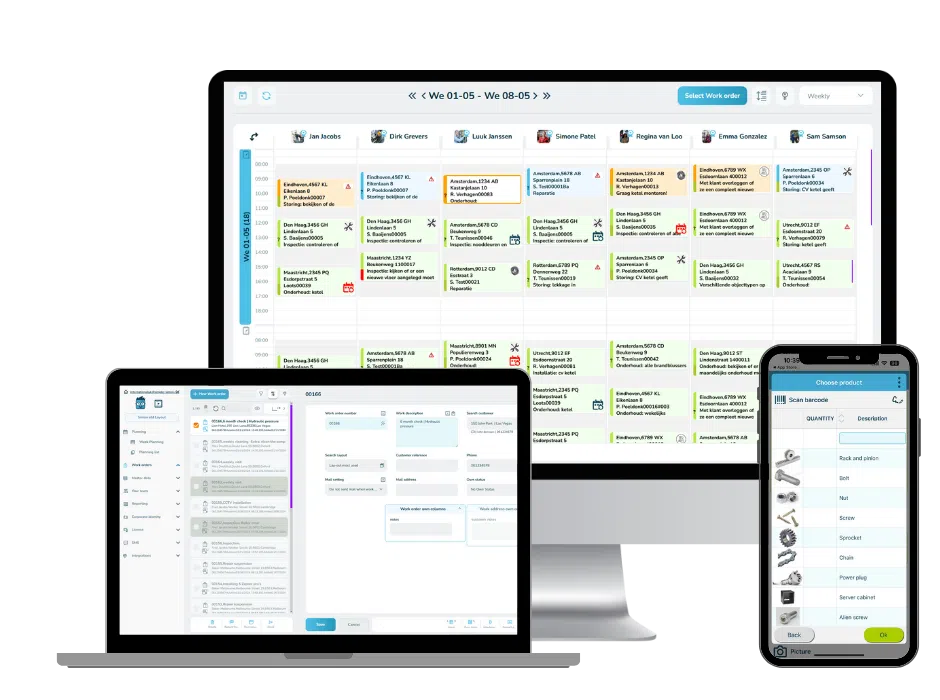
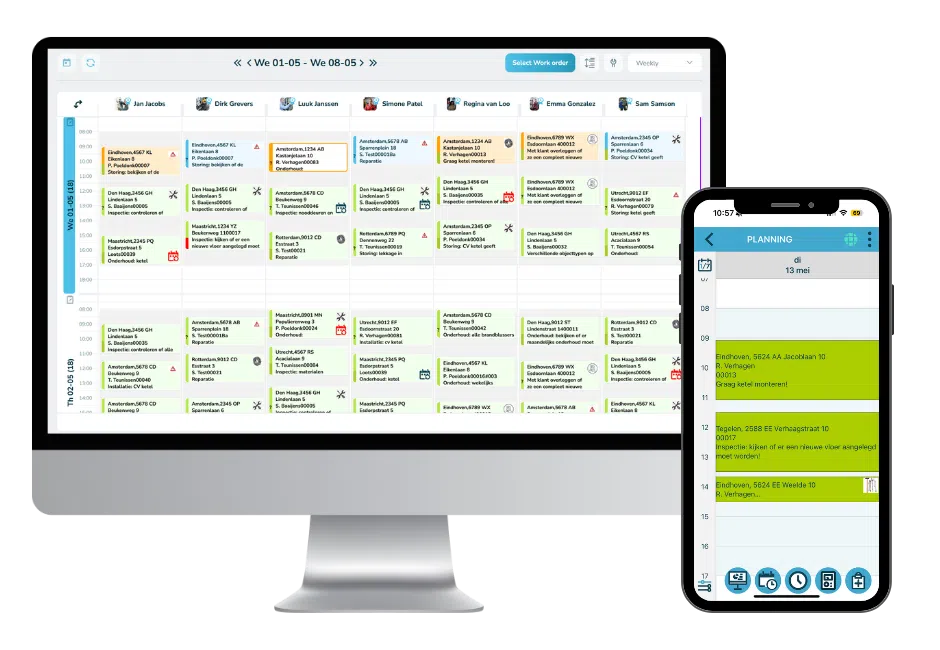
You drag a job sheet to the right technician and time slot. Within seconds, the job appears on their phone with the address, description and attachments. Does something change? They see the update immediately, without you having to call.

No more whiteboards and no more Excel files that are already outdated by the time they are shared.

plan a demo

simple-simon op desktop, tablet en smartphone
planningsapp

What is a digital planning board?

A digital planning board is an online overview that lets you schedule job sheets and appointments for your field service team. You can see what is planned for each employee and each day, who is available and the status of every job.

The difference between a digital calendar and a planning board is that a calendar only shows appointments. Our planning board is connected to the actual work: the job sheet, hour registration, item usage and invoicing. What you schedule appears in your technician’s app, and what they register is sent straight back to the office.

In 45 seconds: see how our digital planning board works

Monteur bekijkt zijn digitale planning op een tablet met de Simple-Simon planning app.

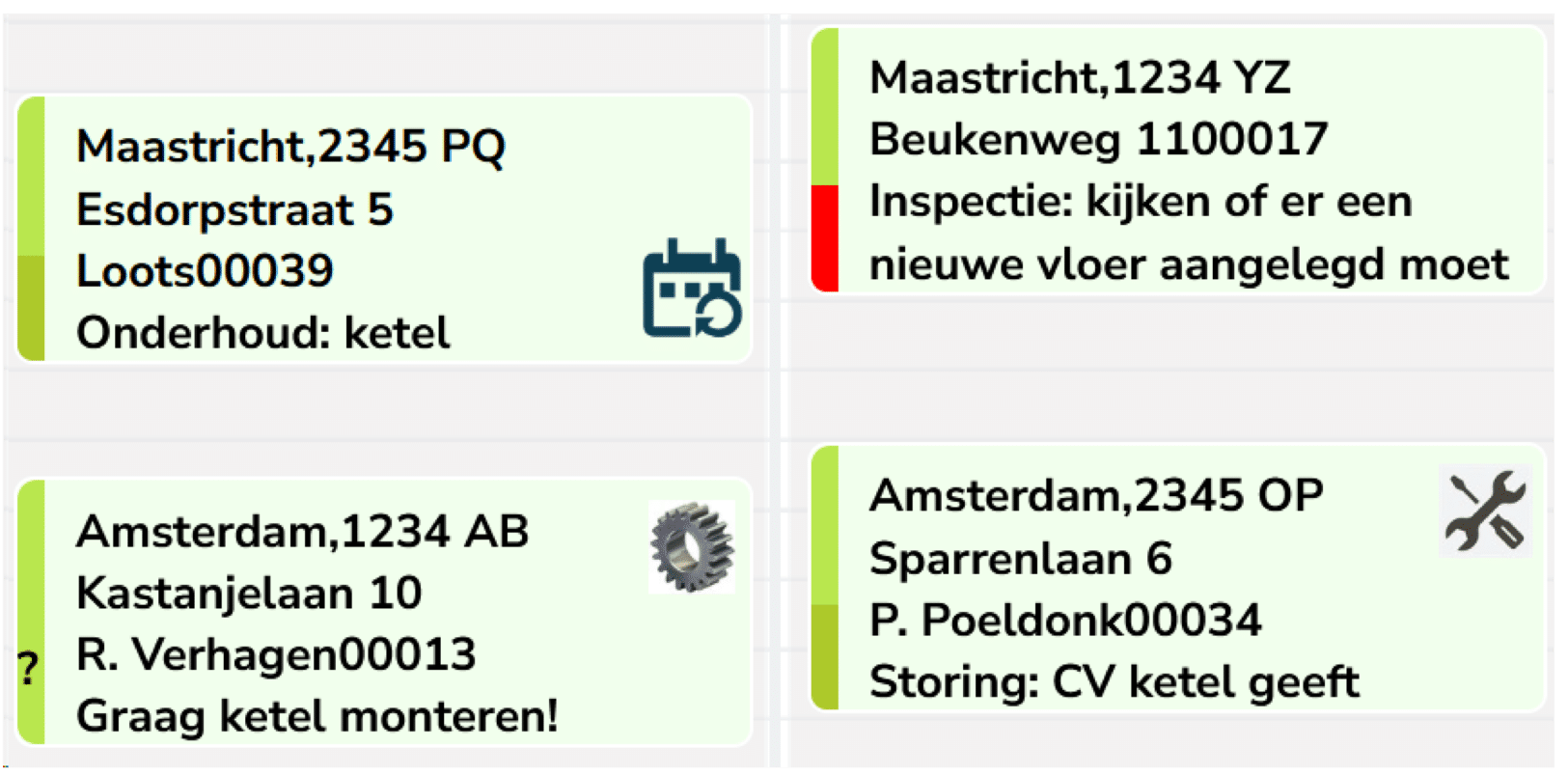
Plan by dragging and dropping

The planning board is where you oversee and manage your field service team’s week.

  • Schedule a job sheet by dragging it to the right employee and time slot.
  • Use colours and icons to see whether an appointment has been confirmed, declined or is still pending. No surprises on the day itself.
  • Plan based on availability and skills, so the right technician is assigned to the right job.
  • Move a job in seconds without disrupting the rest of the week.
  • Use GPS to see where your technicians are at that moment.
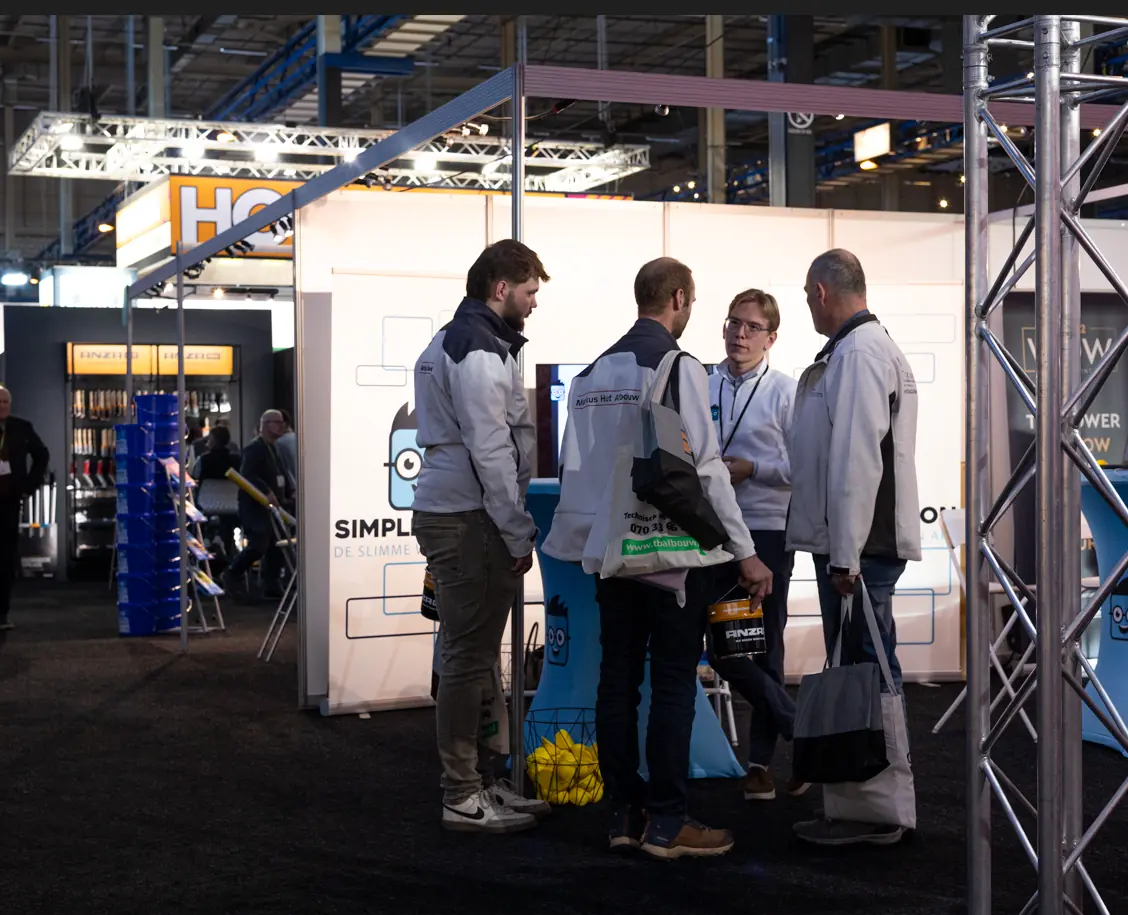
Bezoeker bekijkt een live demo van het digitale planbord van Simple-Simon op een laptop tijdens een vakbeurs.

Ad hoc planning: handle urgent jobs and unexpected changes

A schedule that stays exactly the same all week does not exist. An urgent job comes in, a technician calls in sick or bad weather disrupts an outdoor job. Ad hoc planning is not the exception; it is just a normal Tuesday.

With the planning board, you can handle these changes without rearranging everything else. You can immediately see who has availability and who is nearby. Drag the job sheet to another technician, and both technicians instantly see the updated schedule in the app.

  • Urgent job comes in: fit it into an available time slot without changing the rest of the day.
  • Technician calls in sick: divide that day’s route between colleagues who still have availability.
  • Bad weather: move outdoor jobs to later in the week in one simple action.
  • Job takes longer than expected: move the following appointments and automatically notify the customer.


Situation

With Simple-Simon

Without a  digital ad hoc planning

Urgent service request received Instantly see who is nearby via GPS, create a job sheet and schedule it in seconds. Call technicians until someone is available
Prepare job sheet Create the job sheet directly in the planning board, with customer details filled in automatically Write the details down manually and pass them on separately to the technician
Inform technician The technician automatically receives a push notification in the app with all the required information Call or text the technician with the address and job information
Adjust planning Schedule the job using drag-and-drop while all other jobs remain unchanged Manually adjust the entire day’s planning for one additional job
Complete job The technician completes the job sheet in the app and the status is immediately visible at the office Take a paper job sheet and process it manually at the office later
Invoicing Send the job sheet directly to your accounting software for faster invoicing Handle the administration afterwards, causing a delay between the job and invoicing


zonnenpanelen monteur app

Real-time updates between the office and field service

Real-time means something very practical here: you update the planning at the office, and your technician sees the change before you would even have had time to pick up the phone. Synchronisation works both ways. What you schedule appears instantly in their app, and what they complete appears straight back on your screen.

That saves phone calls throughout the day. No need to check whether a change has come through, no technician driving to the old address, and no office team having to guess whether a job has already been completed.

As soon as a job sheet has been signed and completed, you can see it on the planning board. This includes the hours worked and the materials used, ready for invoicing.

Everything stays synchronised, even without a connection

Is your technician working in a basement or at a site without an internet connection? The app stores everything locally and synchronises automatically as soon as the connection is restored. Nothing gets lost, even after a full day without internet.

bevestiging-planning

Recurring planning for maintenance and contracts

For recurring work, you can set up a recurring schedule: weekly, monthly or based on a contract interval. Simple-Simon automatically creates the job sheets on the right date and assigns them to the right technician.

Set it up once and the maintenance for your service contracts takes care of itself. No one needs to check a folder anymore to see when a customer is due for their next service visit.

Try for free

Planner beheert onderhoudsplanning en werkbonnen in de Simple-Simon office-omgeving.

Automatic appointment confirmation by SMS or email

With customer communication, your customer automatically receives an appointment confirmation by SMS or email. With one click, they can confirm or decline the appointment. You can see that status directly on the planning board: confirmed, declined or not yet read.

This means you know before the day itself whether someone will be available. If a customer does not respond, you can contact them directly instead of calling everyone. This helps prevent your technician from arriving at a closed door and wasting part of the journey.

Company schedule, public holidays and leave

You set up your company schedule once: working days, public holidays, shift patterns and company closures. Simple-Simon automatically takes these into account, so you no longer schedule jobs on days when the company is closed.

For each employee, you can define contracted hours, working times and leave days. The system calculates how many hours are available each week and compares them with the work already scheduled, so overbooking is immediately visible.

Planner beheert objecten in de Simple-Simon office-omgeving terwijl een monteur de mobiele app gebruikt.

The view that fits your business

View the planning board by day, week or month. Filter by employee, customer or job type. If you work with fixed teams or regions, you can set up the board to match the way your business operates.

The planner at the office works in the browser on a large screen. The technician uses the app on their phone and only sees their own planning. Everyone gets exactly the overview they need.

Vergelijking tussen personeelsplanning in Excel en het digitale planbord van Simple-Simon.

Planning board or Excel: what is the difference?

Many companies start with an Excel file or a whiteboard on the wall. That works fine until you have more than a few technicians.

The problem with Excel is that the planning is only a snapshot. As soon as you share or print it, it can already be out of date. Your technicians may be working from yesterday’s version, and every change requires a phone call. The file also knows nothing about the job itself: no registered hours, no items used and no signature.

A digital planning board always shows the latest planning for everyone at the same time. And because it is connected to the job sheet, everything that happens in the field is sent straight back to the office.

Simple-Simon werkbon app demonstratie voor servicebedrijven

Who is the digital planning board for?

The planning board is designed for companies that send employees out to jobs every day. It is used by businesses in installation & climate technology, electrical engineering & security, door & gate technology, coffee machines & commercial kitchens, machine maintenance, sewer technology, inspections & testing, and many other service industries.

Whether you schedule two technicians or thirty, the planning board grows with your business. You do not need any IT knowledge, and your first job sheet can be created within five minutes.

verkoop order exact

Connect your planning board to your accounting or ERP system

Simple-Simon integrates with more than 40 accounting, CRM and ERP systems, including Exact, SnelStart, AFAS and Microsoft Dynamics 365 Business Central. From a completed job sheet, you can create an invoice straight away without retyping any information.

Frequently asked questions about the Digital Planning Board

Start today with Simple-Simon

Plan a demo or start a 2 week trial

Complete for €30  per month, per user

Try for freeStart a demo

“Our company has been using this app for a very long time, and now with the new 3.0 version, it works even better. Thanks a lot!”

Aktie Totaalinstallateurs B.V.

★★★★★
★★★★★
4.8/5 rated