Automate Your Customer Communication with Simple-Simon

You schedule a maintenance visit and your engineer heads to the customer. But the customer is not at home. You call to ask when it would suit them better. Then you call again. And again. Before you know it, customer communication takes more time than the job itself.


With Simple-Simon’s customer communication software, you automatically send appointment confirmations, reminders and updates via SMS or email. Your customer knows exactly when the engineer is coming, can confirm or reschedule the appointment, and receives a notification as soon as the engineer is on the wa

Start a free trial

Improved communication with your customers

As you may know, our team works hard to continuously improve and optimise our software. A major focus is improving communication with your customers. This allows you to send more information to your customers and makes interaction easier and more effective.

Read more about automated customercontact

Five types of messages you can send automatically

You decide which messages to enable and which to disable. Per job sheet type, customer or situation, you configure exactly what should be sent. These are the five message types you can use:

  • Send a confirmation as soon as a new appointment is planned. Your customer receives it immediately and can confirm or decline the appointment. You instantly see the status in the planning board.
  • Send a reminder at a time you choose before the appointment. This ensures your customer knows the engineer is coming and avoids surprises.
  • Has the planning changed? Your customer automatically receives a message with the new date or time, without you having to call them.
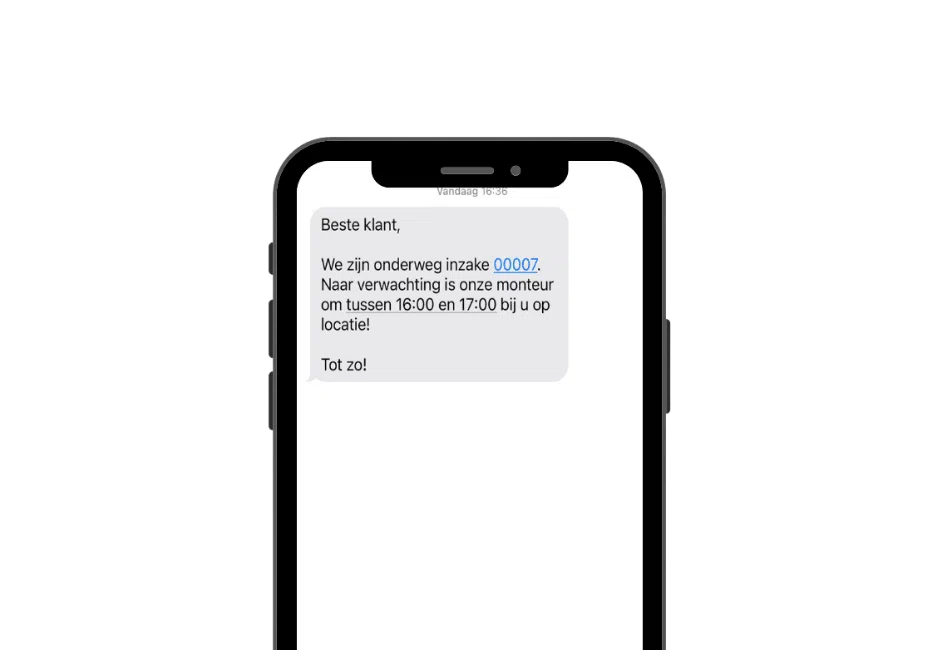
  • Is your engineer on the way? Your customer receives a notification with the expected arrival time, including a configurable arrival window. No more calls asking where the engineer is.
  • Has your engineer started the work? Your customer receives a start notification so they know the job is underway.

Appointment confirmations via SMS or email

Your customer receives a message as soon as you schedule an appointment. The message contains a link allowing them to confirm or decline the appointment with a single click. No phone calls are needed to get confirmation.

You can send confirmations via SMS or email. SMS has a significantly higher open rate than email: most people read a text message within minutes, while emails can remain unread for hours or even days. For time-sensitive appointments, SMS is therefore often the stronger option.

Configure messages per job sheet type

You decide which messages are sent for each type of job sheet. An installation requires different communication from a repair or maintenance visit. You configure your communication flows once and Simple-Simon takes care of the rest.

You can personalise every message with customer details, addresses and job sheet information. This ensures every customer receives communication that matches their situation and your company’s tone of voice.

For arrival times, you can set a configurable time window. For example, if you specify an arrival window between 09:00 and 11:00, your customer receives this as the expected arrival time without forcing your engineer into an exact appointment time.

Read more Read less

Why SMS communication is more effective than email

An SMS message is typically read within three minutes. An email can remain unread for hours or even days. For messages where timing matters, such as arrival notifications or same-day reminders, SMS is often the more reliable choice.

That doesn’t mean email has no place. For confirmations customers want to save or forward, email can be more convenient. Simple-Simon supports both channels, allowing you to choose the best option for each situation.

SMS messages can also include links, allowing customers to take action immediately: confirm an appointment, request a new time slot or view the job sheet. Everything with a single click, without making a phone call.

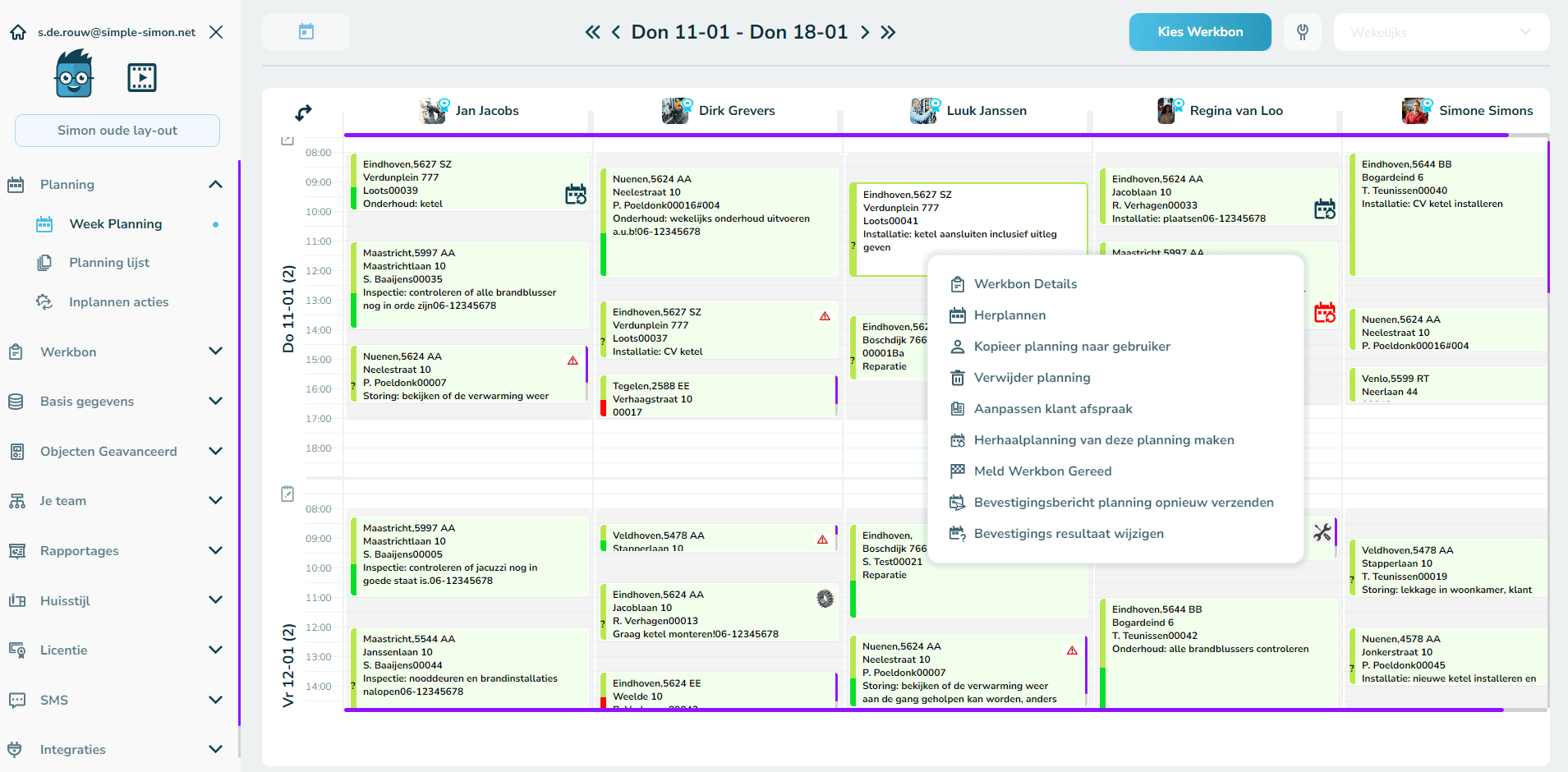
Appointment status at a glance in the planning board

From the planning board, you can immediately see the status of all sent confirmations. No need to search through emails or ask colleagues whether a customer has responded. Everything is visible on one screen.

You can filter open confirmations and quickly see which customers have not yet responded. This means you only need to call customers who genuinely require follow-up instead of contacting everyone. That can save several phone calls every day.

If a customer changes or declines an appointment, you see this immediately and adjust the planning accordingly. Your engineer instantly receives the updated job sheet on their phone, without the need for additional calls.

Who is this customer communication software for?

Simple-Simon’s customer communication module is designed for SMEs with field service teams that schedule appointments with customers every day. The module is used by installers, HVAC engineers, plumbers, electricians, security companies, maintenance businesses and many other service companies.

Do you work with recurring maintenance contracts? Then automated customer communication becomes even more valuable. Appointment confirmations are sent automatically and outstanding responses can be managed directly from the planning board, without manual calls.

Do you work with subcontractors or freelance engineers? They also receive the latest customer planning status directly through the app, preventing surprises on site.

How does customer communication work in Simple-Simon?

In four simple steps, you go from a planned appointment to a confirmed customer:

  1. You schedule a job sheet in the planning board. Simple-Simon automatically sends a confirmation message to the customer via SMS or email, including a link to confirm or request changes.
  2. Your customer confirms the appointment with a single click. You immediately see the confirmation status in the planning board without doing anything manually.
  3. On the day of the appointment, your customer automatically receives a reminder and a notification when your engineer is on the way, including the expected arrival time.
  4. Once the work has been completed, the customer can optionally receive the completed job sheet or a summary of the work carried out. Everything documented, with no need to ask for updates.

Frequently Asked Questions about customer communication software

What is customer communication software?

Customer communication software is a tool that automatically sends messages to customers about their appointments, including confirmations, reminders, on-the-way notifications and updates when plans change. There is no need to manually call or email customers. Messages are sent automatically at exactly the right moment via SMS or email.

Which messages can I send automatically?

With Simple-Simon, you can send five types of messages automatically: an appointment confirmation, a reminder before the appointment, a notification when plans change, an on-the-way notification and a start notification when work begins. You choose exactly which messages to enable.

Do appointment confirmations work via SMS or email?

Both. You decide which channel to use for each message type. SMS has a higher and faster read rate than email, making it ideal for time-sensitive notifications such as arrival times. Email is often more suitable for confirmations customers want to keep.

Can I see which customers have not yet confirmed their appointment?

Yes. In the planning board, you can instantly see the status of every appointment: confirmed (green), no response (question mark) or declined (red). You can filter outstanding responses and only follow up with customers who require action.

Can I customise messages to match my own style?

Yes. You can personalise every message with customer details, addresses and job sheet information. Different communication flows can be configured for different job sheet types, ensuring communication always matches the customer’s situation.

Try Simple-Simon for Free for 14 Days!

Ready to take your customer communication to the next level? Try Simple-Simon free for 14 days! Or book a live demo with one of Simon’s industry experts. Explore all the ins and outs of customer communication. Together, we’ll make your customer contact even better!

Plan a live demo Contact Sales

Start today with Simple-Simon

Plan a demo or start a 2 week trial

Complete for €30  per month, per user

Try for freeStart a demo

“Our company has been using this app for a very long time, and now with the new 3.0 version, it works even better. Thanks a lot!”

Aktie Totaalinstallateurs B.V.

★★★★★
★★★★★
4.8/5 rated